Join The Party.
Listen together, wherever you are.
Say goodbye to fighting over the aux cord. Create collaborative playlists, connect to a room, and listen to the same music with friends — on different sound systems, at the same time.
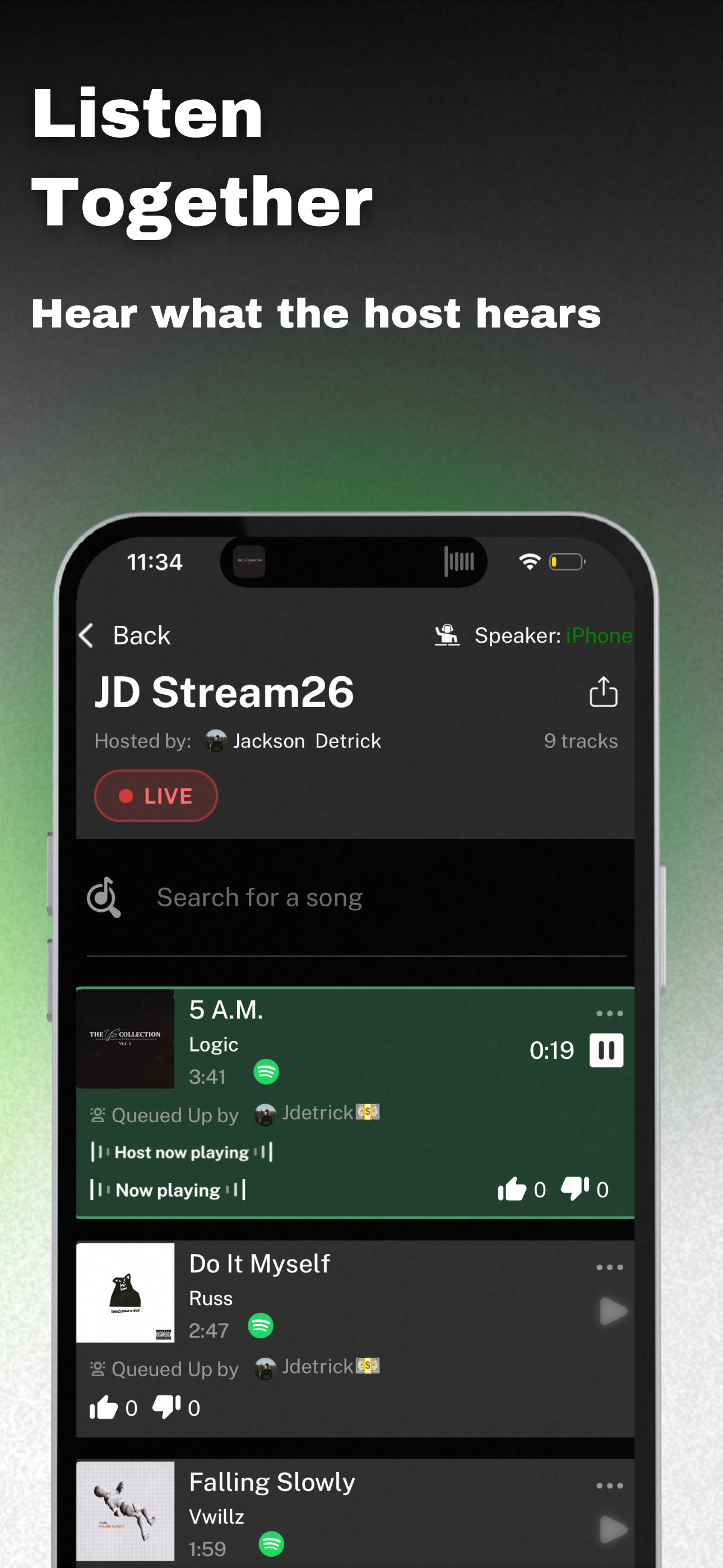
Listen Together
Hear what the host hears
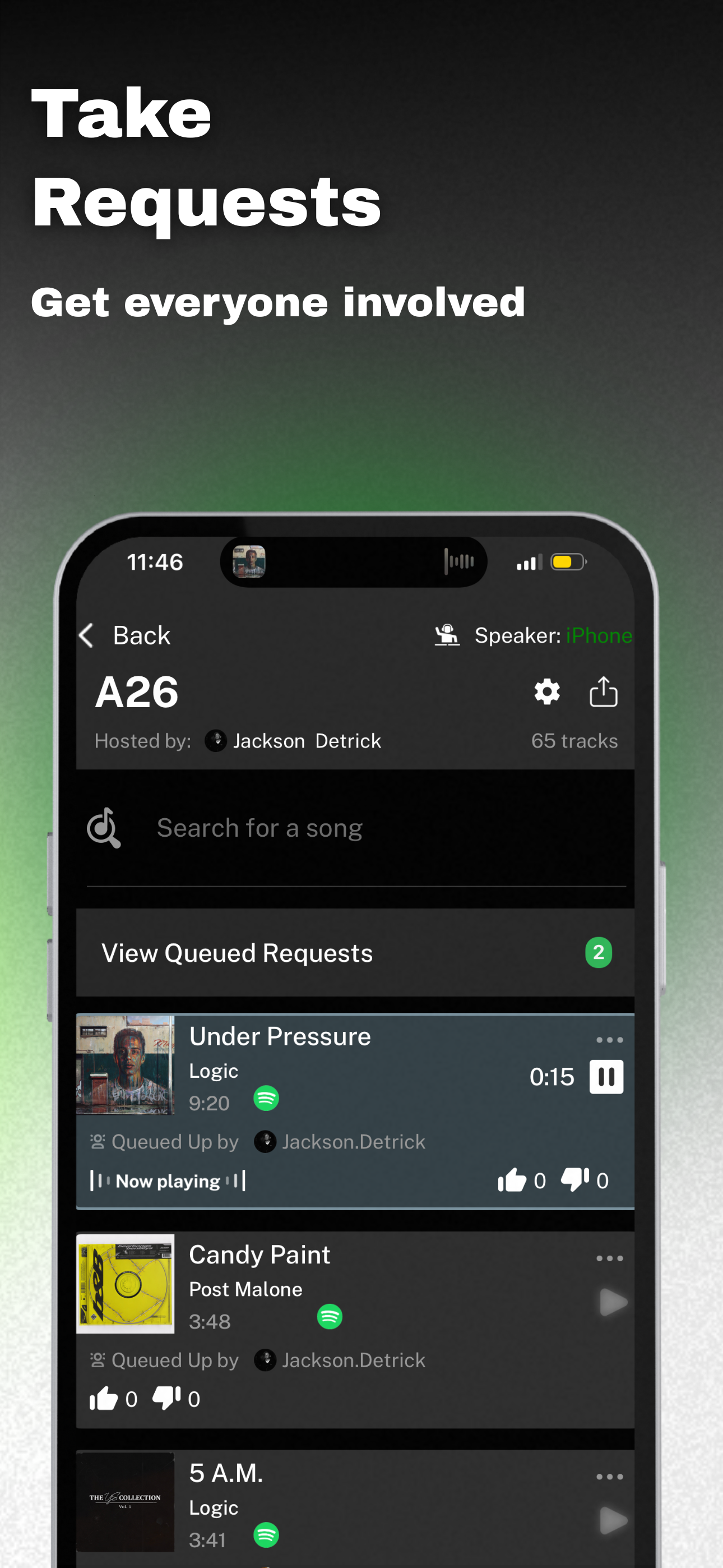
Take Requests
Get everyone involved
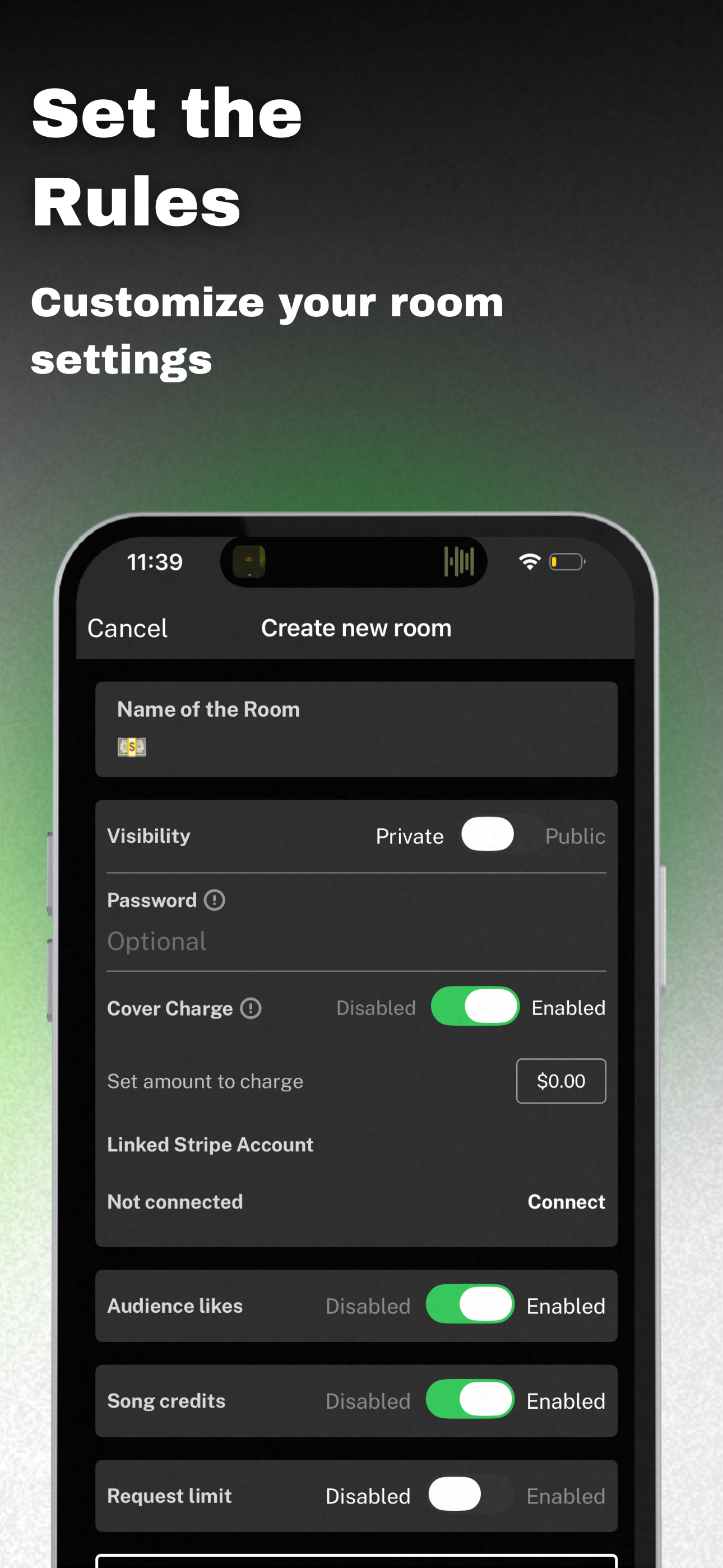
Set the Rules
Customize room settings & cover charge
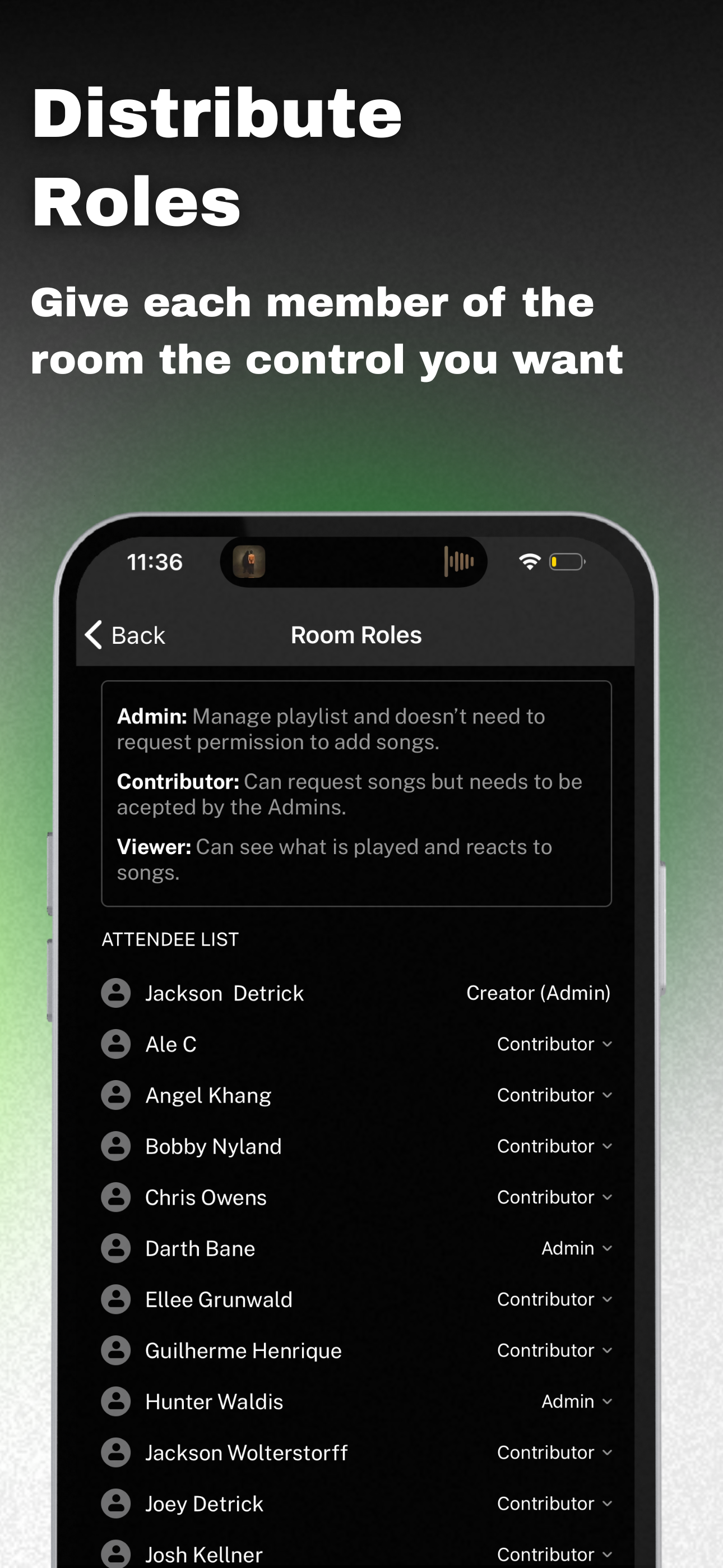
Distribute Roles
Give each member the control you want
Listen with whoever, wherever, whenever.
Say goodbye to fighting over the aux cord or bluetooth and say hello to QueuedUp. Create collaborative playlists and listen together with friends, wherever you are in the world. Connect to a room and listen to the same music on different sound systems, at the same time — perfect for in-person events and live streams.
Four steps to the party.
Download, connect Spotify, create or join a room, and invite friends. It's that simple.
Download the App.
The first step to join this musical extravaganza is to download the QueuedUp app. You can find it on the Apple App Store. Simply search 'QueuedUp' and click download to get started.
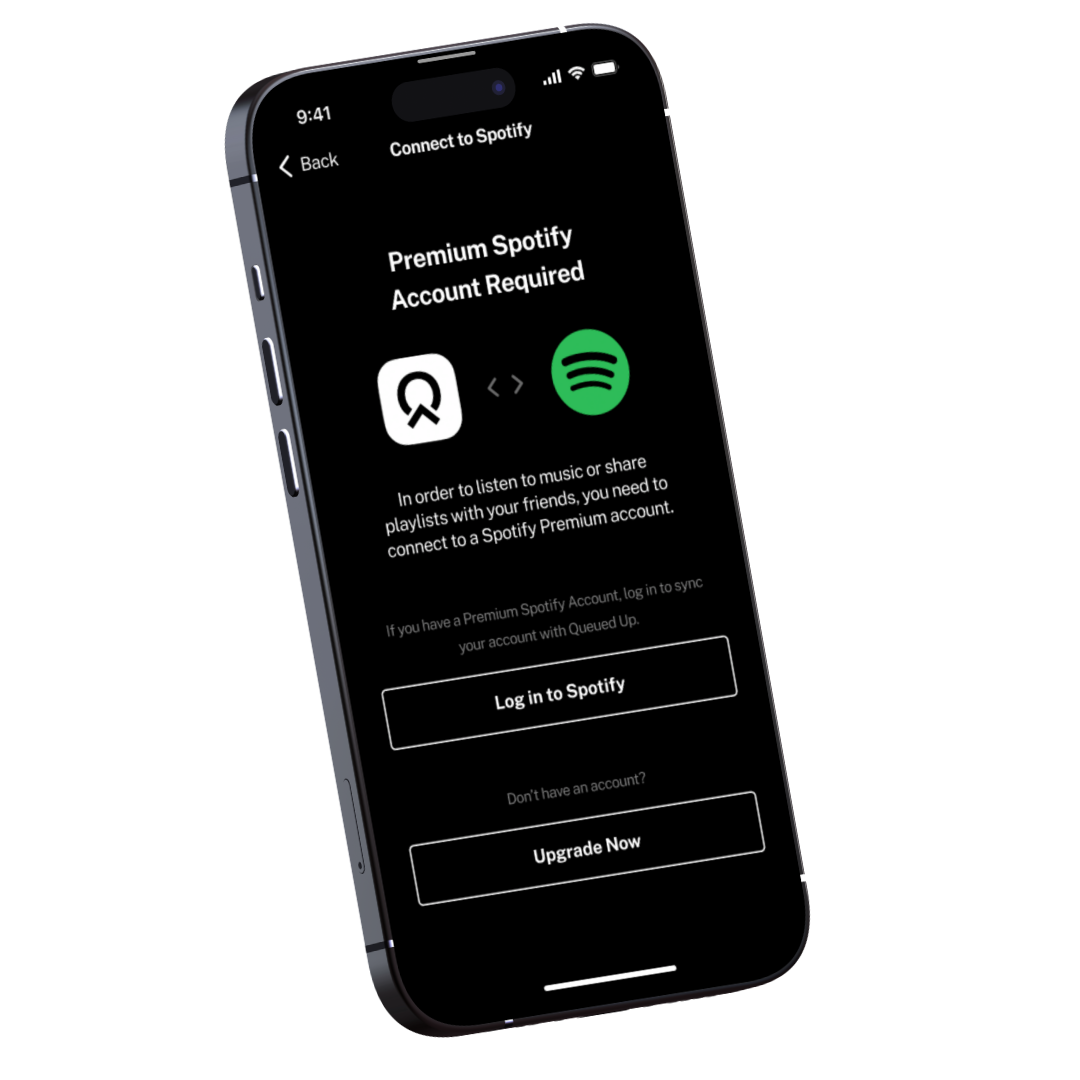
Link Your Spotify.
Once you've downloaded the app, the next step is to link it to your Spotify Premium account. QueuedUp seamlessly integrates with Spotify, creating an immersive and unified musical experience.
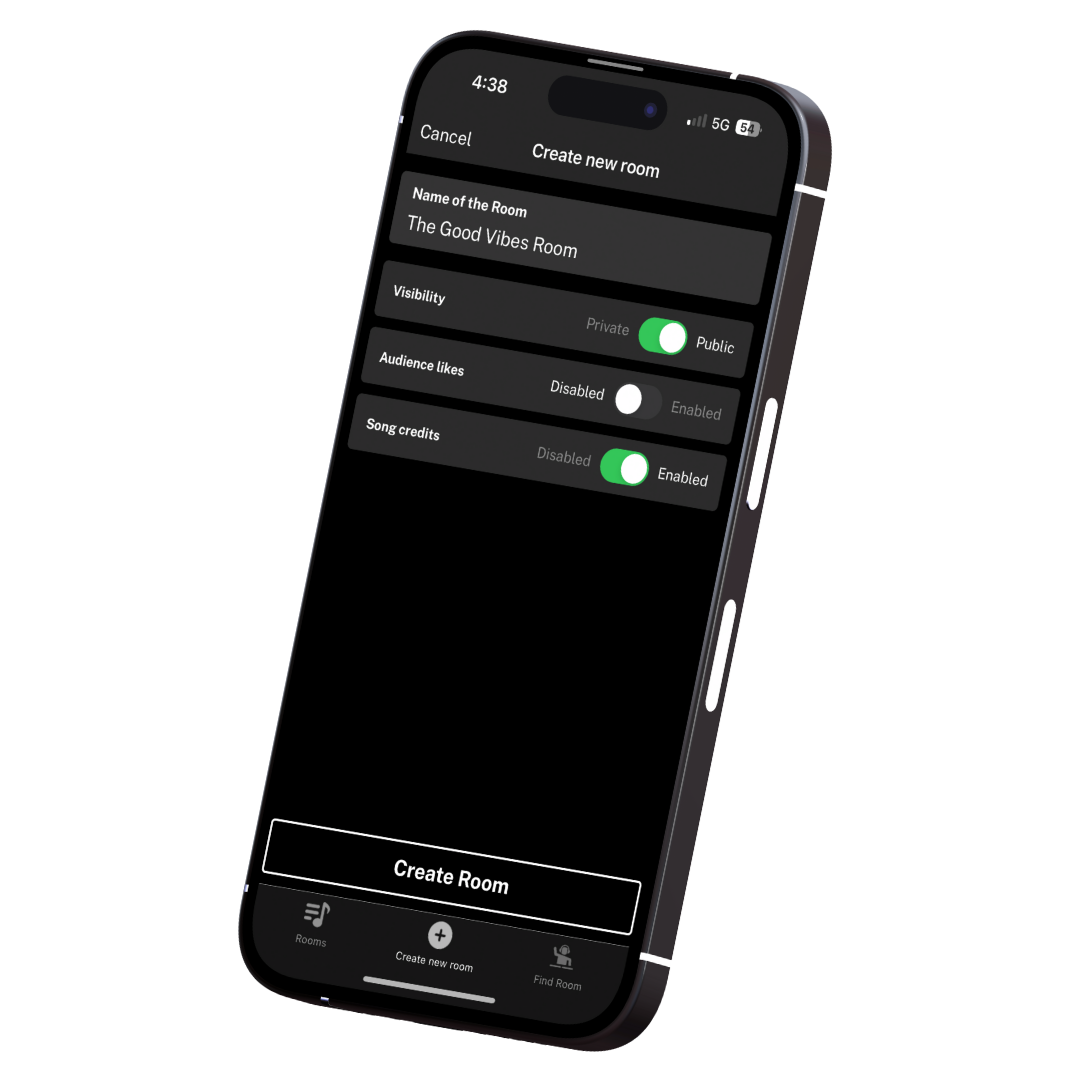
Create or Join Your First Room.
Upon successful connection with your Spotify account, browse public rooms, join a private room with friends, or create your own. These rooms are shared playlists where you can listen together, vote, and add to your personal Spotify library.
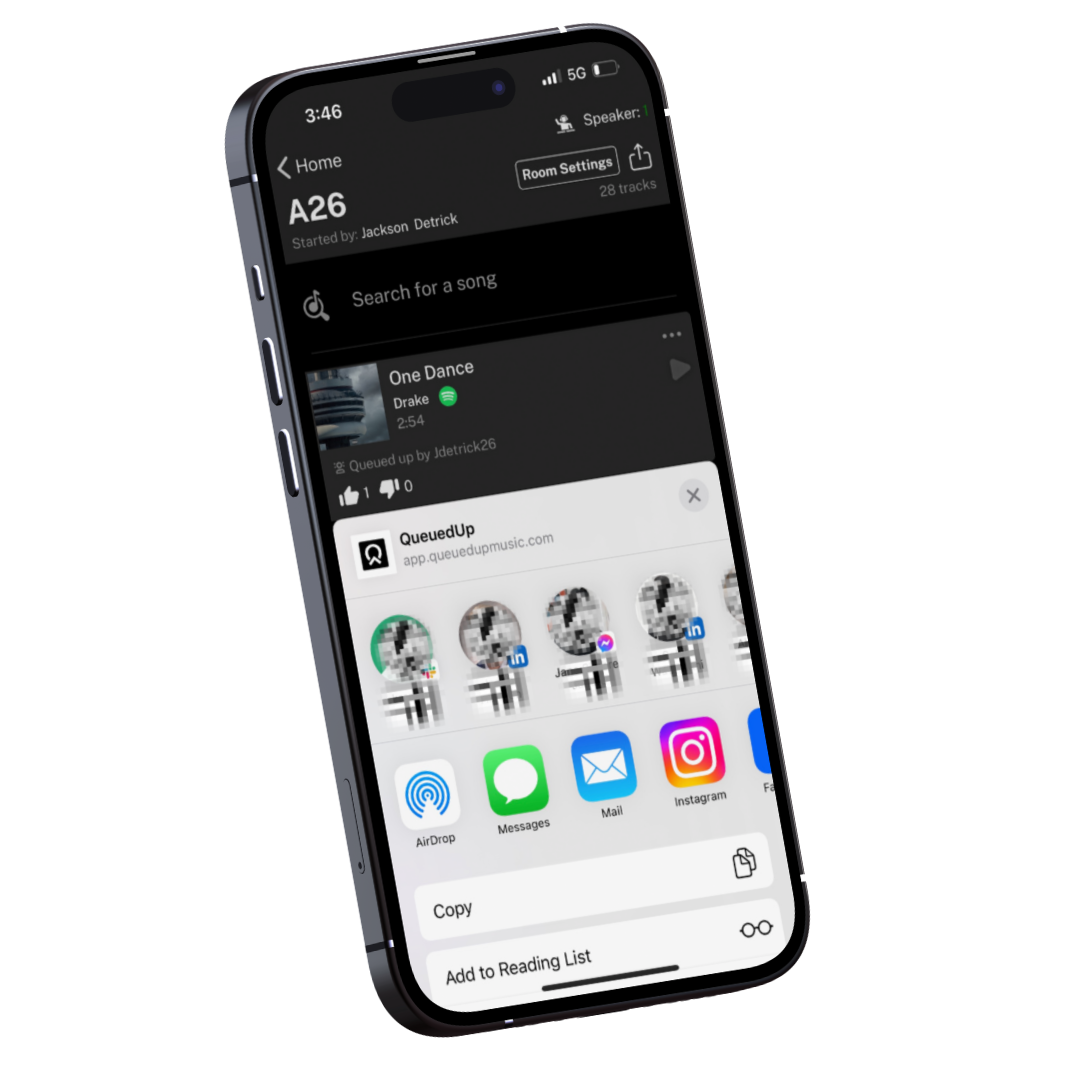
Invite Friends.
Easily invite friends or followers with a unique room link. Send the link through SMS, or copy and paste it wherever you'd like — and the party begins.
More than just a playlist.
Like or Dislike Songs In Each Room
Like the song that's playing? Or maybe you can't stand it? Let the room creator know how you feel and shape the vibe together.
Add Songs Directly To Your Spotify Library
Love the song the room is playing? In one click, add the song to your Spotify library and keep jammin'.
Distribute Control of the Room
Sick of controlling the room or need your friends' help to build the ultimate playlist? Easily pick who contributes or has access.
Sync Up With The Host.
Your speaker, their vibe.
Listen to exactly what the host is hearing in real time. Connect your device to the room and let the host take control of your speaker — so everyone stays locked in together across different speakers, rooms, or miles apart.
Host Controlled
The DJ drives track playback while you relax and enjoy the vibe.
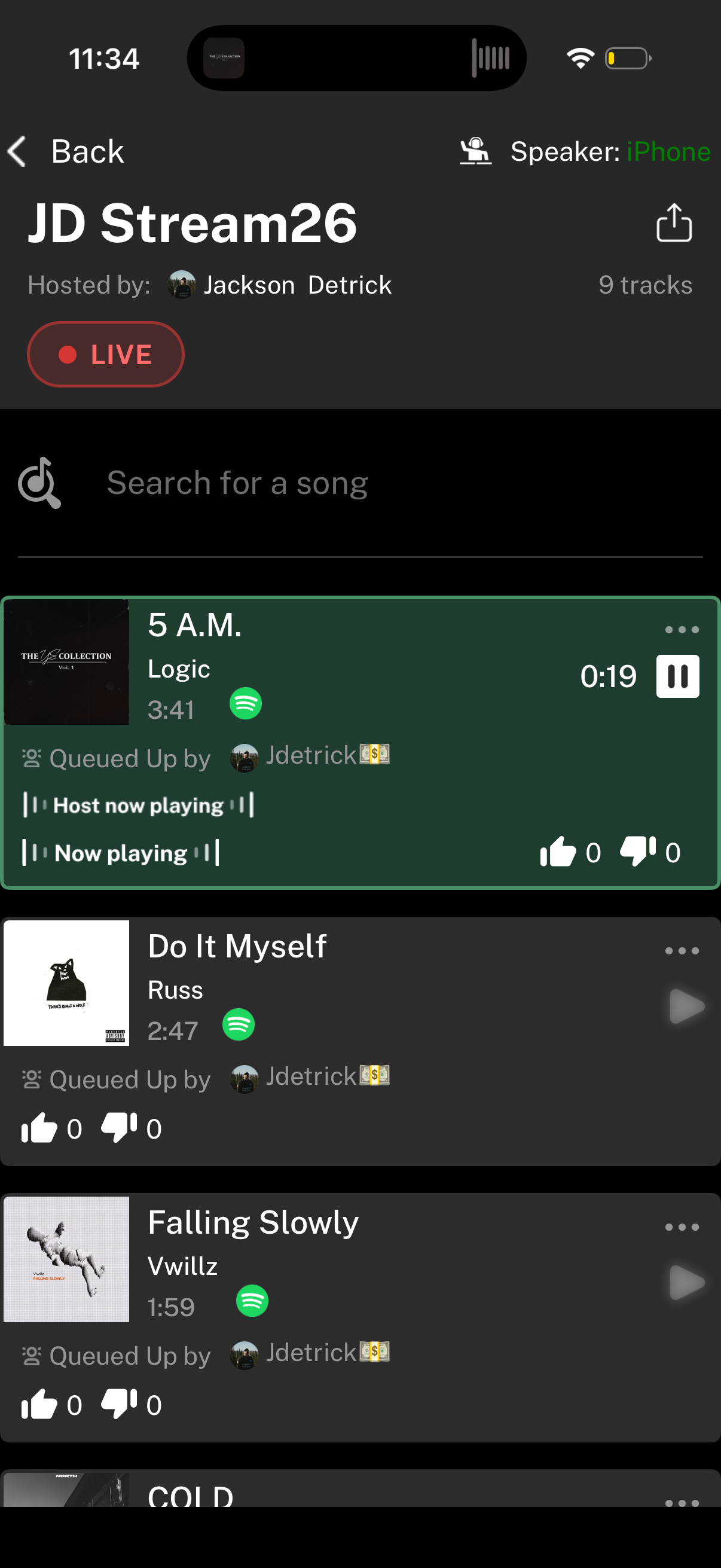
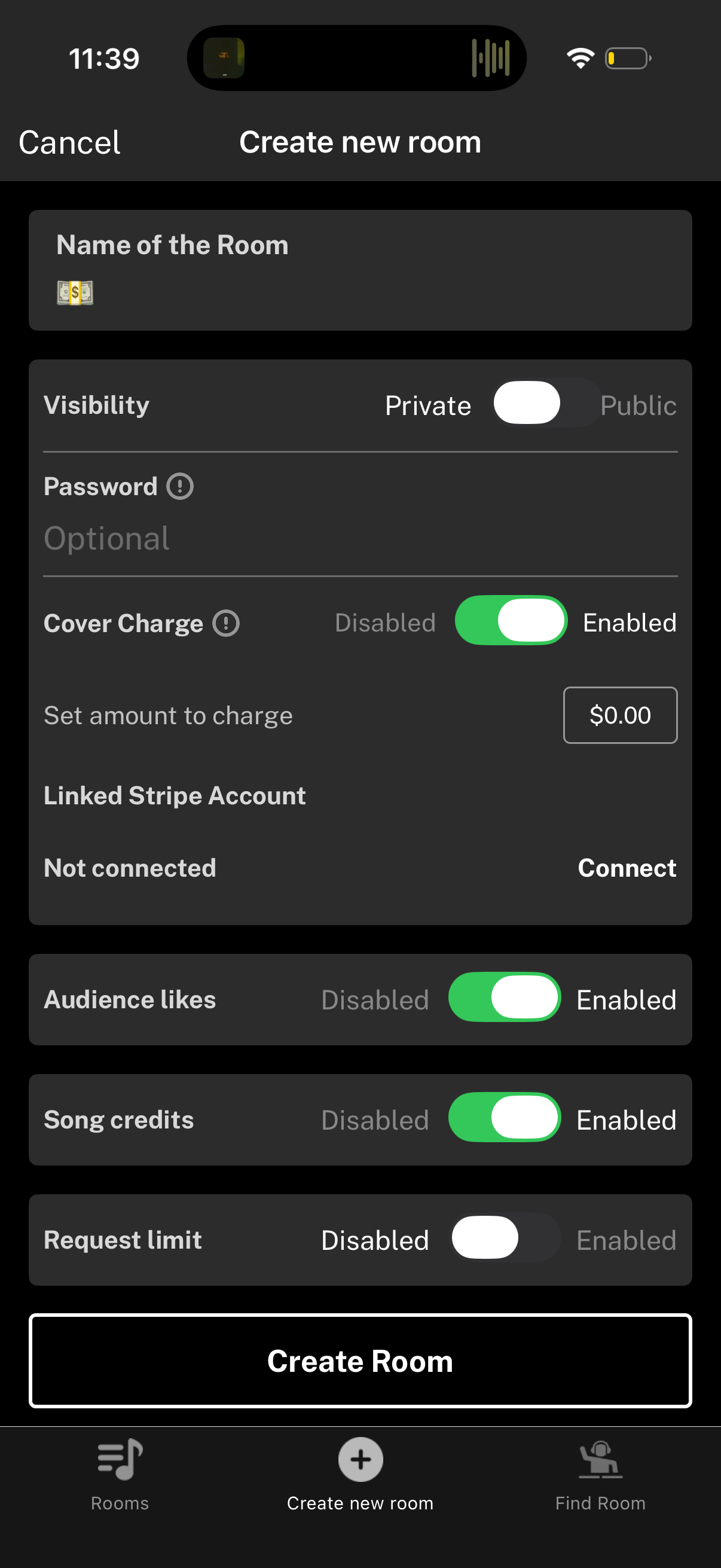
Put a cover charge on your listening session.
Hosts set the entry fee, and the audience pays to get into the room. You can charge a premium for people to control the room with you, or for you as the host to listen to their music on your stream.
Host sets the price
Pick your entry fee — from free to premium. Full control over who enters.
Fans pay to get in
Listeners pay a seamless checkout to join the room and hear the set.
Private rooms
Lock the room behind a paywall so only paying listeners get access.
Earn as you play
Turn your taste into income — get paid every time someone joins the room.
Queue. Share. Enjoy.
It's as simple as that. Queue up your favorite songs, share them with your friends, and enjoy the shared experience of listening to music together. So what are you waiting for? Download QueuedUp today and elevate your playlist.
Frequently Asked Questions
Unfortunately, not at this time. We are working on connecting other streaming platforms and will let our users know as we continue to grow and expand!
You can download the app both in the Apple App Store and the Android App Store. Search "QueuedUp" and you will see our logo pop up!
Yes! You can monetize your room. Set a cover charge and let listeners pay to get in — charge a premium for people to control the room with you, or for you as the host to listen to their music on your stream.
As many as you'd like! We want you to make a new room for every occasion you can think of. Hey, you may even get selected as a QueuedUp Creator of The Week if you play your cards right!
Yep, we offer a free version (for now) but this may change. We are big on supporting the creator and want to find a way to have a monthly contribution that goes to each and every creator on the platform. Support independent creators!
Got questions? Let's connect.
Want to learn more, partner with us, or join the creator program? Drop us a line and we'll get back to you.